
home > html editors > coffeecup
Use HTML-Kit to Make a Contact Form
The steps for adding an email form to an HTML-Kit website are outlined below. Please note that this tutorial was created using HTML-Kit Build 292. The procedure may vary slightly if you are using a different version.
1. Design and Prepary Your Form Code
To get started, visit myContactForm.com to design and generate your form HTML code using their free form creation software. This process is desribed in our tutorial here.
2. Open HTML-Kit
Start HTML-Kit as you would normally do.
3. Create or Open the Page Where You Want the Form
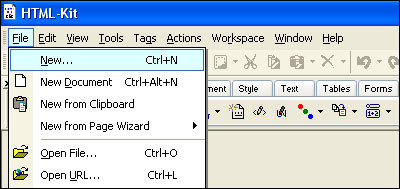
a. To create a new page, go to File > New (or press CTRL+N).
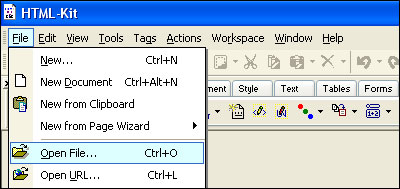
b. To open the page where you want the form, go to File > Open File (or press CTRL+O).
4. Add the Form HTML to Your File.
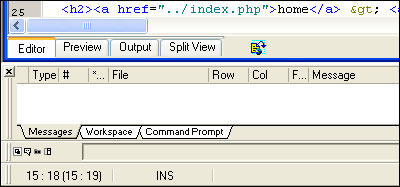
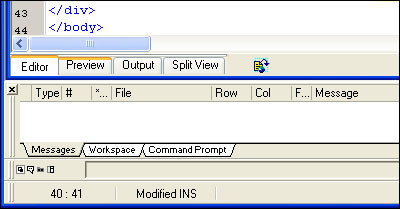
a. Click Editor tab to make sure you are in Editor mode.
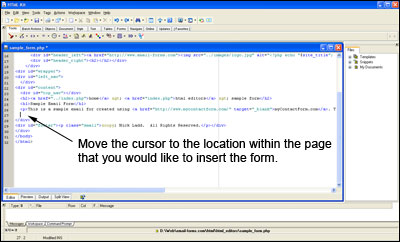
b. Click the spot within the HTML code where you would like to insert your form.
c. Paste the form HTML into the code (Edit > Paste, or CTRL+V, or Right Click and Select Paste).
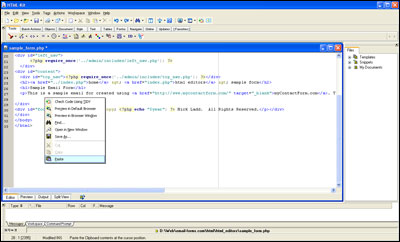
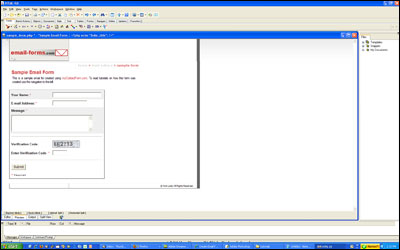
d. Click the Preview tab and make sure the form looks correct.
5. Save Your Form
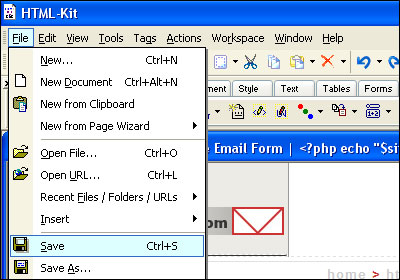
a. Select File > Save (or CTRL+S).
6. Upload the New Form
Upload the file containing your form to your web server. This procedure will vary depending on which FTP client you use to upload your website.
7. Test Your ContactForm
Open a web browser and go to the web page containing your form. Fill out the form and press the submit button to test it.
We've created a demonstration form using HTML-Kit which can be seen here.